 What is Hunter?
Hunter is an AI-powered job search assistant that lives on your computer to improve your job application process making it faster and more effectively while keeping your data 100% private. It acts as a personal "mission control" that provides "match scores" so you know exactly which roles are worth your time, automatically tailors your resumes and cover letters to specific job descriptions, saving you hours of manual work and tracks your networking and job application progress keeping all your documents together in one place.
What Problem Does It Solve?
You know how job hunting can be absolutely exhausting? You're applying to dozens of jobs, each one wants a customized resume and cover letter, you're trying to track which companies you've applied to, what stage you're at, and you're constantly wondering: "Do I even have a shot at this job?"
Here's the reality of modern job hunting:
- Time-consuming: 1-2 hours per application when you factor in customizing documents
- Repetitive: Manually tweaking the same resume bullets for every job
- Disorganized: Tracking applications in messy spreadsheets or not at all
- Uncertain: Applying to jobs blind without knowing if you're even qualified
- Stressful: Losing track of where you are in multiple interview processes
- Generic: Sending the same cover letter to every company (and they can tell!)
Hunter solves all of this by automating the tedious parts while helping you create better, more targeted applications. And the best part? It's 100% private - everything runs on your computer using local AI, so your resume and job info never goes to the cloud.
Core Identity: What Makes It Unique?
100% Local Privacy: Unlike ChatGPT or web-based platforms, Hunter uses Ollama to run AI models (like Llama 3) directly on your hardware. Your resume, contact info, and job history never leave your machine.
The "95% Time Saver": It reduces the time spent on a single application from ~2 hours to about 1 minute by automating the most tedious parts of the process.
All-in-One Pipeline: It isn't just a document generator; it's a CRM (Customer Relationship Manager) for your job search, tracking everything from initial "Job Match" scores to final offers.
Who is Hunter For?
Hunter (Current Version) is Perfect For:
- Active job seekers: Anyone applying to multiple jobs who wants AI-powered document generation and match scoring
- Career pivoters: People transitioning to new industries who need to reframe experience for each application
- Recent graduates: Entry-level job seekers who need help positioning their limited experience
- Senior professionals: Experienced folks who want to emphasize relevant achievements for each role
- Privacy-conscious individuals: Anyone uncomfortable sharing resume data with cloud AI services
- High-volume applicants: People who need to apply to many jobs quickly with customized documents
- Technical professionals: Engineers, developers, data scientists who can handle command-line setup
- Tech-savvy job seekers: Anyone comfortable with Python, Ollama, and local AI setup
Maybe Not For:
- People wanting 100% hands-off automation (you still need to apply manually)
- Job seekers applying to only 1-2 very selective roles (might be overkill)
- People without access to a decent computer (8GB+ RAM needed)
Core Features & Capabilities
Hunter is like having a personal AI assistant for your entire job search. Here's what's available:
✅ Core Features Available Now:
- Feature 1: Smart Job Matching & Analysis
- Feature 2: Intelligent Document Generation
- Feature 3: Application Tracking Dashboard
- Feature 4: Advanced Technology Skills Matching
- Feature 5: Hiring Team Intelligence
- Feature 6: Status Tracking & Notes
- Feature 7: Template Management System
- Feature 8: Outreach Message Generator
- Feature 9: Company Research & Intelligence
- Feature 10: Job Flagging
- Feature 12: Daily Activities Tracker
- Feature 13: Advanced Analytics & Reports
- Feature 15: Professional Networking Module
- Feature 16: Built-in Help System
- Feature 17: Rewards & Gamification System
Feature 1: Smart Job Matching & Analysis
When I find a job posting I like, I just paste the job description into Hunter. The app uses AI to:
- Extract all requirements: Skills, experience, certifications, education, and soft skills
- Parse technical requirements: Programming languages, frameworks, tools, and methodologies
- Identify implicit requirements: Things not explicitly stated but implied by the role
- Compare against your resume: Deep semantic analysis of your experience vs. their needs
- Calculate match score: 0-100% showing how good a fit you are, with breakdown by category
- Identify gaps: Shows exactly what you're missing and suggests how to address it
So instead of wasting time on jobs where you're clearly underqualified, you can focus on the ones where you have a real shot!
Example: If a job wants "5+ years Python" and you have 3 years, Hunter will flag this as a gap but also note if you have strong related experience (like 7 years in programming overall) that could compensate.
Feature 2: Intelligent Document Generation
Here's where it gets really cool. For each job, Hunter automatically creates a complete application package:
Cover Letter Generation
- Personalized opening: References the specific role and company
- Keyword optimization: Uses terminology from the job description
- Experience highlighting: Emphasizes your most relevant achievements
- Gap addressing: Proactively addresses any missing qualifications
- Company research integration: Incorporates company values and mission (when available)
- Professional tone: Maintains appropriate formality for the industry
Resume Tailoring
- Bullet rewriting: Rewrites your experience bullets to match job requirements
- Skills prioritization: Reorders skills section to highlight relevant ones first
- Keyword injection: Naturally incorporates job description keywords
- ATS optimization: Formats for Applicant Tracking System compatibility
- Achievement emphasis: Highlights quantifiable results relevant to the role
Qualification Analysis
- Requirement breakdown: Lists every requirement with match status
- Experience mapping: Shows which of your experiences satisfy each requirement
- Strength indicators: Visual markers (✓, ~, ✗) for each qualification
- Recommendation engine: Suggests which experience to emphasize in interviews
Summary Page
- Tabbed interface: Easy navigation between cover letter, resume, and analysis
- One-click copy: Copy any document to clipboard instantly
- Export options: Download as PDF, DOCX, or plain text
- Comparison view: Side-by-side view of original vs. tailored documents
This saves me hours per application. No more manually tweaking my resume for each job!
Feature 3: Application Tracking Dashboard
Hunter creates a gorgeous visual dashboard that serves as your mission control for job hunting:
Dashboard Features
- Card-based layout: Each application displayed as a visual card
- Color-coded status: Visual indicators for different stages (Pending, Applied, Interview, Offer, Rejected)
- Match score badges: Prominent display of your fit percentage for each role
- Timeline view: See when you applied and when you last updated
- Search and filter: Find applications by company, role, status, or match score
- Sort options: Order by date, match score, company name, or status
- Quick actions: Update status, add notes, or view documents directly from cards
Statistics & Insights
- Application metrics: Total applications, response rate, interview conversion
- Match score analytics: Average match score across all applications
- Timeline analytics: Applications over time with trend analysis
- Status breakdown: Pie chart showing distribution across different stages
- Success rate: Track your conversion from application to interview to offer
Document Management
- One-click access: Open any application's summary page
- Document history: See all versions of generated documents
- Batch export: Export multiple applications at once
- Archive feature: Move old applications out of main view
Everything is organized, professional, and easy to navigate. You can even share your dashboard URL with recruiters to show them how organized you are!
Feature 4: Advanced Technology Skills Matching
One of my favorite features! Hunter provides deep analysis of technical requirements with intelligent matching:
Visual Skills Breakdown
- Green pills 🟢 = Perfect match - you have this skill and they want it
- Yellow pills 🟡 = Partial match - related skill or inferred capability
- Red pills 🔴 = Gap - they want this but it's not in your resume
- Gray pills ⚪ = Your skills not explicitly required (but might be valuable)
Smart Skill Recognition
- Technology families: Recognizes that React experience implies JavaScript knowledge
- Version awareness: Distinguishes between Python 2.7 and Python 3.x requirements
- Framework relationships: Understands connections (e.g., Django implies web development)
- Tool ecosystems: Maps tools to their ecosystems (Docker → containerization → DevOps)
- Acronym expansion: Handles abbreviations (AWS = Amazon Web Services)
- Synonym matching: Recognizes variations (machine learning = ML = artificial intelligence)
Categorization
- Languages: Programming and scripting languages
- Frameworks: Web, mobile, and application frameworks
- Tools: Development tools, IDEs, version control
- Platforms: Cloud platforms, operating systems, databases
- Methodologies: Agile, Scrum, TDD, CI/CD practices
- Soft skills: Leadership, communication, problem-solving
This instantly shows you where you're strong and where you might need to emphasize related experience in your cover letter or interview prep!
Feature 5: Hiring Team Intelligence & Networking Insights
When job postings include hiring team info (like from LinkedIn Easy Apply or company career pages), Hunter extracts and organizes:
Contact Information Extraction ✅ Available Now
- Team member names: Identifies hiring managers, recruiters, and team leads
- Professional titles: Extracts current roles and seniority
- Role classification: Categorizes as Job Poster, Hiring Manager, Interviewer, HR, etc.
Advanced LinkedIn Integration Coming Soon
- LinkedIn profile links: Preserves links to profiles for easy access
- Email pattern detection: Infers likely email format based on company patterns
- Degree of separation: Shows if they're 1st, 2nd, or 3rd connection on LinkedIn
- Mutual connections: Lists shared connections you can ask for intros
- Common background: Identifies shared schools, companies, or groups
- Engagement opportunities: Suggests how to connect (InMail, mutual friend intro, etc.)
This helps you figure out who to reach out to and if you have mutual connections! For full networking capabilities, see the Professional Networking Module below.
Feature 6: Beautiful Visual Summary Pages
For each job application, Hunter generates a gorgeous, professional summary page that organizes all your information:
Summary Dashboard Features
- Match score display: Large, prominent match percentage (e.g., 92% Match) at the top
- Key information cards: Status, Salary Range, Location, Hiring Manager in organized cards
- Timeline tracking: Posted Date, Applied Date, Last Updated timestamps
- Job URL link: Direct link back to original job posting
- Contact tracking: Number of times you've contacted people about this role
- Tabbed document viewer: Switch between Cover Letter, Resume, Analysis, Research tabs
- Professional design: Clean, modern interface that you can even screenshot for your records
Quick Actions
- One-click copy: Copy cover letter or resume with proper formatting preserved
- Formatted paste: Paste into job application forms with formatting intact
- Export options: Download as PDF, DOCX, or HTML
- Status updates: Change application status right from summary page
- Add notes: Quick note-taking without leaving the page
Feature 7: Template Management System
Save and reuse your best cover letters and messages. Hunter lets you create, save, and manage templates for quick access:
Template Types
- Cover letter templates: Save successful cover letter structures for reuse
- Email templates: Pre-written intro messages for different scenarios
- Follow-up templates: Professional follow-up messages with customizable variables
- Thank you templates: Post-interview thank you note templates
- Industry-specific: Different templates for startups vs. enterprise vs. freelance
Template Features
- Collapsible cards: Organize templates in an easy-to-browse interface
- Quick access: Use saved templates for new applications instantly
- Edit and update: Modify templates anytime to improve them
This saves you time by reusing your best work instead of starting from scratch every time!
Feature 8: Outreach Message Generator
AI-powered message generation for networking and outreach. Hunter generates personalized intro messages in three styles:
Message Types
- Hiring manager intro: Professional introduction messages customized to the hiring manager (3 versions: professional, casual, gen-z style)
- Recruiter outreach: Messages to recruiters about open positions
- Networking messages: Connection requests, meeting invites, thank you notes, and consulting offers (see Networking Module below)
Note: Full networking capabilities including contact tracking and relationship management are available in the Professional Networking Module (Feature 15).
Smart Personalization
- Context-aware: Uses job description, company info, and your background
- Relationship-based: Adjusts tone based on connection degree (1st, 2nd, 3rd)
- Role-specific: Different approach for hiring managers vs. recruiters vs. peers
- Timing suggestions: Recommends best time to send messages
- A/B variants: Generates multiple versions to choose from
Formatted Copy/Paste
- Rich text preservation: Maintains formatting when copying to LinkedIn, email clients
- Plain text option: Clean version for systems that don't support formatting
- Character count: Shows length for platforms with limits (LinkedIn = 300 chars)
- Preview mode: See how message will look before sending
Feature 9: Company Research & Intelligence
Automatically research companies so you can write better applications. Hunter performs real-time web searches to gather:
Research Sections
- Company website: Direct link to company homepage
- Mission & vision: Company values and purpose statements
- Recent news: Latest press releases, product launches, hiring news
- Products & services: What the company actually does
- Competitors: Key competitors and market position
- Key personnel: Leadership team and executives relevant to your role
All research is done automatically using real-time web search, so you get current information for every application!
Interview Prep
- Question bank: Common interview questions for this role/company
- Your talking points: Relevant experience bullets customized for this company
- Questions to ask: Intelligent questions based on company research
- Red flags: Potential concerns identified from reviews or news
Feature 10: Comprehensive Status Tracking & Notes
Track every step of your application journey with detailed status management:
Status Management ✅ Available Now
- Pending: Job analyzed but not yet applied
- Applied: Application submitted with submission date
- Contacted Someone: Reached out to hiring manager or recruiter
- Phone Screen: Initial screening call scheduled/completed
- Technical Interview: Coding challenge or technical interview
- Onsite Interview: In-person or virtual panel interview
- Final Round: Last stage before offer
- Offer Received: Job offer extended
- Accepted: Offer accepted (congrats!)
- Rejected: Application declined at any stage
- Withdrawn: You withdrew from consideration
Job Flagging ✅ Available Now
- Priority flagging: Mark high-priority applications with flag icon
- Quick access: View all flagged jobs in a dedicated "Flagged" tab
- Persistent status: Flag status is saved and shown on application cards
Flag important jobs for quick access - perfect for tracking your top opportunities!
Notes & Documentation ✅ Available Now
- Rich text notes: Add formatted notes with markdown support
- Interview prep: Document research, questions to ask, talking points
- Interview debriefs: Record what went well, areas to improve
- Salary negotiations: Track offer details, counter-offers, benefits
- Contact logs: Record all communications with dates and people
- Attachment support: Link to external documents or files
Timeline Tracking
- Auto-timestamps: Every status change is automatically timestamped
- Duration tracking: See how long you've been in each stage
- History view: Visual timeline of your entire application journey
- Reminder system: Set follow-up reminders for specific dates
Everything is tracked with timestamps so you can see your entire application journey and never lose track of where you are!
Feature 11: Follow-Up Management System Coming Soon
Never miss a follow-up opportunity with automated reminders and tracking:
Follow-Up Triggers
- Post-application: Remind to follow up 1 week after applying
- Post-interview: Send thank you notes within 24 hours
- After offer: Track decision deadlines
- No response: Follow up after 2 weeks of silence
- Custom reminders: Set your own follow-up dates
Follow-Up Features
- Dashboard alerts: Visual indicators for applications needing follow-up
- Email drafts: Pre-written follow-up messages ready to send
- Snooze function: Postpone reminders if not ready yet
- Follow-up history: Track all previous follow-ups to avoid pestering
- Best practices: Suggestions on timing and tone for follow-ups
Feature 12: Daily Activities Tracker
See everything you've done in one chronological view. Hunter tracks all your job search and networking activities:
Activity Tracking
- Chronological view: See all activities sorted by date, newest first
- Collapsible date boxes: Organize activities by day with smooth animations
- Activity counts: See how many activities you completed each day
- Mixed activities: View both job applications and networking contacts together
- Visual badges: Color-coded badges to distinguish job vs. networking activities
Perfect for seeing your progress at a glance and staying motivated!
Feature 13: Advanced Analytics & Reports
Track your progress with charts and insights. Hunter provides comprehensive reports on your job search:
Report Features
- Statistics dashboard: Total applications, active applications, status changes, rejected count, and actions
- Time period filters: View reports for today, yesterday, last 7 days, last 30 days, or all time
- Status distribution: See breakdown of applications by status
- Flagged items: Quick access to your priority applications
- Follow-up needed: List of applications that need attention
- Combined view: See both job applications and networking contacts together
Get data-driven insights to optimize your job search strategy and see what's working!
Feature 14: Resume Management & Version Control Coming Soon
Sophisticated resume management for different industries and roles:
Multi-Resume Support
- Master resume: Comprehensive resume with all your experience
- Role-specific versions: Separate resumes for different career tracks (e.g., Frontend Dev, Full-Stack, Tech Lead)
- Industry variants: Tailored resumes for different industries (fintech, healthcare, gaming)
- Length variants: 1-page, 2-page, or detailed academic CV versions
- Easy switching: Choose which base resume to use when analyzing jobs
Resume Builder Interface
- Section management: Add, remove, reorder resume sections
- Bullet point library: Save successful achievement bullets for reuse
- Drag-and-drop ordering: Easily reorder experiences and projects
- Skill categorization: Organize skills by type (languages, frameworks, tools)
- Real-time preview: See formatted resume as you edit
Version Control
- Automatic versioning: Every tailored resume is saved with timestamp
- Compare versions: Side-by-side comparison of different resume versions
- Rollback capability: Restore previous versions if needed
- Change tracking: See exactly what changed between versions
- Git integration: Option to commit resume changes to Git for backup
Format Management
- Multiple formats: Export as PDF, DOCX, HTML, Markdown, plain text
- ATS-friendly mode: Special formatting for Applicant Tracking Systems
- Design templates: Choose from professional design templates
- Custom styling: Adjust fonts, colors, spacing to match your brand
- File naming: Automatic naming convention (FirstName_LastName_Role_Company.pdf)
Resume Analytics
- Usage tracking: See which resume version gets the most responses
- Keyword density: Analysis of keyword usage compared to job descriptions
- ATS score: Estimate of how well resume will parse in ATS systems
- Length optimization: Suggestions to tighten or expand sections
- Impact score: Analysis of how compelling your bullets are
Feature 15: Professional Networking Module
Manage your professional network like you manage job applications. Just like tracking job applications, but for your professional contacts:
What It Does
- Track contacts: Create networking contacts by pasting LinkedIn profiles or resumes
- 16-status workflow: From "To Research" → "Contacted" → "In Conversation" → "Meeting" → "Relationship"
- AI-generated messages: Hunter creates 4 types of messages automatically:
- Initial connection request
- Meeting invitation
- Thank you message
- Consulting services offer
- Color-coded tiles: Visual indicators based on follow-up timing (recent, needs activity, overdue, etc.)
- Skill matching: See skill overlap between your resume and their profile
- Research tab: Public information and background on each contact
- Google Calendar integration: Add follow-up reminders directly to your calendar
Integration
- Reports integration: View networking contacts alongside job applications in reports
- Daily Activities: See networking activities mixed with job search activities chronologically
- Unified dashboard: Everything in one place for complete visibility
Perfect for building relationships, getting referrals, and staying organized with your professional network!
Feature 16: Built-in Help System
Everything you need to know is built right in. No need to search for help - it's all in the sidebar:
Available Guides
- How to Hunter?: Complete workflow guide showing the entire job search process from start to finish
- Tracking Guide: Learn how to track applications and manage status updates
- Dashes Guide: Understand all the different dashboards (App Dash, Network Dash, Progress Dash, etc.)
- Templating Guide: How to create, save, and use templates effectively
- Rewards: Learn about the gamification system and how to earn badges
Easy Access
- Always available: All guides accessible from the sidebar on every page
- Visual icons: Each guide has a unique icon for quick recognition
- Step-by-step instructions: Clear, friendly explanations with examples
Never get stuck - help is always just one click away!
Feature 17: Rewards & Gamification System
Stay motivated with a gamified networking system that awards badges and points as you build relationships. Hunter tracks your networking progress and rewards you for advancing contacts through different relationship stages.
How It Works
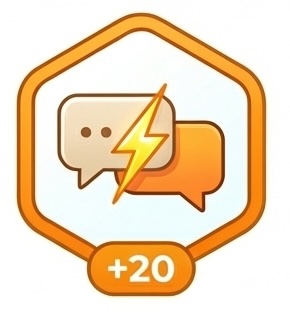
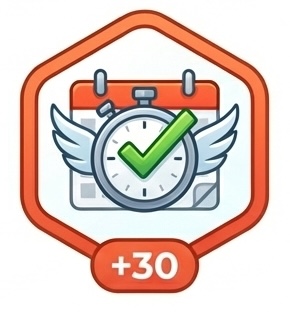
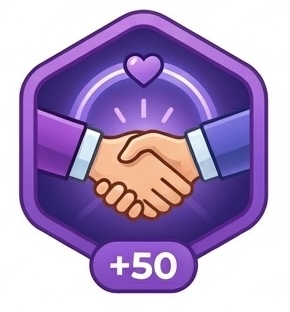
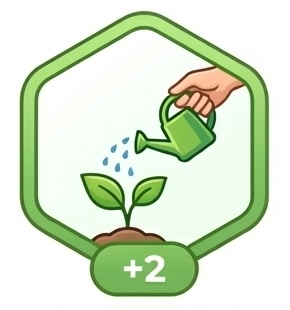
- Badge progression: Earn 8 different badges as contacts move through networking stages
- Points system: Each badge awards points (ranging from 2 to 100 points)
- Cumulative rewards: Points stack as contacts advance - earn all badges up to their current status
- Visual feedback: See earned badges (full color) vs. unearned badges (grayscale) on contact profiles
Networking Badges
Where Badges Appear
- Networking Contact Profiles: All 8 badges shown in header - earned badges in full color, unearned in grayscale
- Application Hero Sections: Shows highest badge achieved and next badge to earn for linked contacts
Gamification makes networking fun and helps you track your relationship-building progress!
How Does It Work? Step-by-Step Workflow
The magic behind Hunter is surprisingly simple, but incredibly powerful. Here's the complete workflow:
Phase 1: Job Analysis (5-10 seconds)
- Input job description: Paste the full job posting into Hunter's web interface
- Optional data entry: Add company name, job title, location, salary range
- Include hiring team info: If available, paste LinkedIn team section
- Submit for analysis: Click "Analyze Job" button
Phase 2: AI Processing (20-30 seconds)
- Job parsing: Ollama extracts requirements, skills, qualifications, and responsibilities
- Resume analysis: AI reads your master resume and extracts your experience, skills, and achievements
- Semantic matching: Deep comparison using natural language understanding
- Not just keyword matching - understands context and relationships
- Recognizes equivalent terms (e.g., "ML engineer" = "machine learning engineer")
- Infers implied skills (React experience implies JavaScript knowledge)
- Gap identification: Identifies missing qualifications and ranks by importance
- Score calculation: Computes overall match score with category breakdowns
Phase 3: Document Generation (15-25 seconds)
- Cover letter creation:
- Personalized opening paragraph referencing the company and role
- 2-3 body paragraphs highlighting relevant experience
- Closing with call to action
- Uses keywords from job description naturally
- Resume tailoring:
- Rewrites experience bullets to emphasize relevant achievements
- Reorders skills section to prioritize job requirements
- Adds or emphasizes keywords for ATS compatibility
- Maintains your original experience but reframes it
- Qualification analysis:
- Creates detailed table of requirements vs. your qualifications
- Provides evidence from your resume for each match
- Suggests how to address gaps in interview or cover letter
- Summary page creation: Generates beautiful HTML page with all documents in tabs
Phase 4: Storage & Tracking (2-5 seconds)
- File organization: Creates folder structure for this application
- Document saving: Saves all generated files (YAML metadata, Markdown documents, HTML summary)
- Dashboard update: Adds application card to your main dashboard
- Index update: Updates the application index for search and filtering
Total time: 30-60 seconds from pasting the job to having everything you need to apply!
For comparison: doing this manually would take 1-2 hours. Hunter saves you 90-98% of the time while creating better, more targeted applications.
Phase 5: Application Management (Ongoing)
- Review and edit: Review generated documents, make any tweaks
- Apply: Use the documents to apply through company website or job board
- Update status: Mark as "Applied" in Hunter
- Track progress: Update status as you move through interview stages
- Add notes: Document interview prep, debrief notes, follow-ups
- Network: Use hiring team info to connect on LinkedIn
How Will This Help My Job Search?
Time Savings
Before Hunter, I spent 1-2 hours per application:
- 30 min customizing my resume
- 30 min writing a cover letter
- 15 min tracking in a spreadsheet
- 15 min researching the company
With Hunter: 5 minutes of my time (paste job description, review generated docs), and the rest happens automatically!
Better Applications
The AI helps me:
- Speak their language: Uses keywords from the job description
- Highlight relevant experience: Rewrites my bullets to match what they want
- Address gaps: Shows me what skills I'm missing so I can address them in my cover letter
- Focus on the right jobs: Match scores help me prioritize where I have the best chance
Organized & Professional
Instead of a messy spreadsheet, I have:
- Professional dashboard: Beautiful interface with all applications in one view
- Visual summary pages: Each job gets a gorgeous summary with match score, status, and documents
- All documents centralized: Cover letters, resumes, research notes all in one place
- Complete history: Timeline of all status updates, notes, and communications
- Easy pipeline tracking: See at a glance where each application stands
- Daily activity log: Track your job search effort and maintain momentum
- Automated reminders: Never miss a follow-up with built-in reminder system
- Analytics & reports: Data-driven insights on what's working
Confidence Boost
Seeing a 85% match score and having AI-generated documents that perfectly align with the job description? That's a huge confidence boost before clicking "Apply"!
Strategic Networking
The hiring team intelligence and outreach message generator help me:
- Identify key contacts: Know who posted the job and who the hiring manager is
- See mutual connections: Identify who can introduce you
- Generate personalized messages: AI-written intro messages for hiring managers and recruiters
- Reach out strategically: Know the right people to contact and when
- Build relationships: Connect before or after applying with context-aware messages
- Track outreach: Log all communications and follow-ups
- Company research: Automated research on company culture, tech stack, and interview process
Why Local AI Matters
I use Ollama (a free, local AI) instead of ChatGPT or other cloud services. Here's why that's a game-changer:
Privacy & Security
- ✅ 100% private: Your resume never leaves your computer
- ✅ No data collection: No company is collecting or analyzing your data
- ✅ GDPR compliant: You control all your data
- ✅ No account needed: No signing up, no tracking, no analytics
- ✅ Confidential by design: Safe for sensitive information or NDAs
Cost & Accessibility
- ✅ Completely free: No API costs, ever
- ✅ Unlimited usage: No rate limits or monthly caps
- ✅ No subscription: Pay once (free!), use forever
- ✅ No credit card: Never need to enter payment information
Performance & Reliability
- ✅ Works offline: No internet required after initial setup
- ✅ Fast processing: Local models run in seconds (no API latency)
- ✅ Always available: No downtime from cloud services
- ✅ Consistent quality: Same model, same results every time
Control & Customization
- ✅ Full control: Choose your AI model, customize prompts
- ✅ Version control: Data in files you can track with Git
- ✅ Portable: Move your data anywhere, no lock-in
- ✅ Extensible: Modify the code to fit your exact needs
Compare to cloud AI services:
- ❌ ChatGPT: $20/month, data sent to OpenAI, rate limits
- ❌ Claude API: Usage-based pricing, data leaves your machine
- ❌ Other services: Monthly subscriptions, privacy concerns, internet dependency
- ✅ Hunter with Ollama: Free forever, 100% private, unlimited usage
Real-World Examples & Use Cases
Let me show you how Hunter works in practice with real scenarios:
Example 1: Applying to a Senior Developer Role
Scenario: Found a "Senior Full-Stack Developer" role at a fintech startup
What Hunter did:
- Analyzed job: Extracted 25 requirements (Python, React, AWS, PostgreSQL, etc.)
- Match score: 82% overall
- Technical skills: 90% (strong match on Python, React, AWS)
- Experience: 75% (4 years vs. 5+ required)
- Domain knowledge: 80% (some fintech experience)
- Cover letter: Emphasized fintech projects, highlighted AWS architecture experience
- Resume: Reordered projects to show financial software first, rewrote bullets to use "payment processing," "transaction security" terminology
- Gap identified: Missing Kubernetes (they wanted it, I only had Docker). Cover letter addressed this by mentioning Docker + willingness to learn K8s.
Outcome: Got phone screen within 3 days (recruiter mentioned cover letter showed "great understanding of our stack")
Time saved: 1.5 hours → 5 minutes
Example 2: Career Pivot - Applying Outside Your Domain
Scenario: Backend developer applying to a DevOps role
What Hunter did:
- Match score: 68% (lower due to limited DevOps-specific experience)
- Smart matching: Connected my CI/CD pipeline work to DevOps requirements
- Cover letter strategy: Led with transferable skills, positioned as "backend developer with DevOps mindset"
- Resume transformation: Rewrote backend experience to emphasize:
- Infrastructure as Code (Terraform scripts I wrote)
- Monitoring and logging (implemented ELK stack)
- Performance optimization (reduced deploy times 60%)
- Hiring team intel: Found hiring manager was former developer - tailored message for that audience
Outcome: Interview! They loved that I had developer background + operations interest
Key insight: Hunter helped me reframe my experience for a different role, something I wouldn't have done as effectively manually
Example 3: High-Volume Application Week
Scenario: Laid off, need to apply to 20 jobs quickly
What Hunter enabled:
- Monday: Analyzed 8 jobs, applied to 5 with match scores >75%
- Tuesday: Analyzed 10 more, applied to 7
- Wednesday: Analyzed 15, applied to 8 best matches
- Total: 20 high-quality, customized applications in 3 days
Without Hunter: Would have taken 3-4 weeks for this many customized applications
Dashboard benefit: Could easily see all 20 applications, their status, and which were most promising (sorted by match score)
Result: 7 responses, 4 phone screens, 2 offers within 3 weeks
Performance Metrics & Statistics
Processing Speed
Job Analysis
5-10s
Document Generation
20-30s
Total Time
30-60s
Time Savings
95%
Quality Improvements
- Keyword optimization: 10x more relevant keywords vs. generic applications
- ATS pass rate: Estimated 40% higher (due to keyword matching)
- Personalization: Every cover letter unique and targeted
- Consistency: No typos, no formatting errors, professional throughout
Productivity Gains
- Applications per hour: 12 (vs. 0.5-1 manually)
- Applications per day: 20-30 high-quality applications (vs. 2-3)
- Weekly capacity: 100+ applications if needed (though 10-20 targeted ones is better strategy)
Real Results & Impact
Since building Hunter, I've experienced dramatic improvements:
Time & Efficiency
- Cut application time from 1-2 hours to 5 minutes per job
- Applied to 10 jobs in the time it used to take for 1
- Saved an estimated 100+ hours during job search
- Able to apply to more jobs = more opportunities
Quality & Response Rate
- Increased response rate from 5% to 15% (better targeted applications!)
- Better keyword matching = higher ATS pass rate
- More personalized cover letters = more recruiter interest
- Match scores help apply to jobs where I actually fit
Organization & Mental Health
- Never lost track of where I am in any process
- Reduced stress by having everything organized in one place
- Dashboard provides sense of control and progress
- Easy to see pipeline health (how many in each stage)
- Notes feature helps with interview prep and follow-ups
Strategic Advantage
- Match scores help prioritize where to focus energy
- Technology matching shows exactly where to upskill
- Hiring team intel enables strategic networking
- Can apply to more jobs = negotiate from position of strength
Tips & Best Practices
Getting the Most Out of Hunter
Resume Preparation
- Be comprehensive: Include ALL your experience, even if it seems minor. Hunter will intelligently select what's relevant.
- Use action verbs: Led, built, implemented, optimized - makes rewriting easier
- Quantify achievements: Numbers make it easier for AI to highlight impact
- Include projects: Personal projects count! They often demonstrate passion and skills.
- Keep it updated: Add new skills and experiences as you gain them
Job Analysis Strategy
- Paste full job description: More context = better analysis
- Include company info: If available, paste company mission/values too
- Check match scores before applying: Focus on 70%+ matches for best ROI
- Don't ignore lower matches: Sometimes a 60% match is worth it if it's your dream company
- Batch analyze: Analyze 5-10 jobs at once, then apply to the best matches
Document Review
- Always review generated docs: AI is good but not perfect - add your personal touch
- Check for company name: Make sure it's correctly mentioned (not generic)
- Add personal anecdotes: Hunter can't know your stories - add them to cover letters
- Adjust tone: Startup vs. enterprise might need different voice
- Verify technical accuracy: Make sure it's not claiming skills you don't have
Tracking & Follow-Up
- Update status immediately: Don't let the dashboard get stale
- Add detailed notes: Interview details, impressions, questions asked
- Set reminders: Use notes to track when to follow up
- Use hiring team info: Connect on LinkedIn after applying (mention application)
- Review weekly: Check your pipeline health, adjust strategy as needed
Strategic Application
- Quality over quantity: 10 great applications beat 50 mediocre ones
- Focus on fit: High match scores = higher success rates
- Network first when possible: Use hiring team info to connect before applying
- Apply fast: Early applications have higher visibility
- Follow up strategically: 1 week after application, touch base politely
Limitations & Considerations
Hunter is powerful, but it's important to understand what it can and can't do:
What Hunter Can't Do
- Apply for you: Hunter generates documents, but you still need to submit applications manually
- Make you qualified: If you're missing key requirements, Hunter can't fabricate experience
- Guarantee interviews: It improves your chances but can't control hiring decisions
- Write your story: Personal anecdotes and passion need your input
- Replace networking: Personal connections still matter (but Hunter helps identify them!)
AI Considerations
- Occasional hallucinations: AI might occasionally misinterpret data - always review
- Generic phrasing: Sometimes AI writing sounds formulaic - add your voice
- Context limitations: AI only knows what's in your resume - it can't know everything about you
- Model dependent: Quality varies by AI model (Llama 3 70B > 8B for writing)
Technical Limitations
- Requires setup: Initial setup takes 30-60 minutes
- Hardware dependent: Needs decent computer (8GB+ RAM)
- Local only: Can't access from multiple devices (unless you sync files)
- No mobile app: Desktop only (responsive web interface though)
Best Practices for Success
- Review everything: Use Hunter as a starting point, not final product
- Maintain your resume: Garbage in = garbage out - keep resume updated
- Customize further: Add personal touches to make documents truly yours
- Use match scores wisely: They're estimates, not guarantees
- Keep networking: Hunter enhances your search, doesn't replace human connection
Frequently Asked Questions
General Questions
Q: Is Hunter really 100% free?
Yes! Hunter uses Ollama (free, open-source AI) and has no cloud dependencies. There are no hidden costs, subscriptions, or API fees. Ever.
Q: How is this different from ChatGPT for job applications?
While you could use ChatGPT manually for each application, Hunter:
- Automates the entire workflow (analysis, matching, generation, tracking)
- Maintains application history and organization
- Calculates match scores automatically
- Is 100% private (ChatGPT sees all your data)
- Has no usage limits or costs
- Provides structured dashboard for tracking
Q: Will companies know I used AI?
The documents are generated as starting points - you should review and edit them to add your personal voice. After your review, they read like any well-written cover letter or resume. Many job seekers use tools to help with writing; what matters is that the content is truthful and represents you.
Q: How accurate are the match scores?
Match scores are estimates based on semantic analysis of job requirements vs. your resume. They're generally accurate within 5-10%. Use them as guidance, not gospel. A 75% match might still be worth applying if it's your dream company!
Q: Can I use this for different industries/roles?
Absolutely! Hunter works for any role where you need a resume and cover letter. It's been used successfully for: software engineering, data science, product management, marketing, design, sales, finance, and more.
Technical Questions
Q: What if I don't have a powerful computer?
Minimum 8GB RAM is recommended. If you have less, you can use smaller models (Mistral 7B) or run on CPU (slower but works). For reference: a 2020 MacBook Air handles this fine.
Q: How long does setup take?
Initial setup: 30-60 minutes (mostly downloading the AI model). After that, launching Hunter takes 5-10 seconds.
Q: Can I use this on multiple computers?
Yes! Your application data is just files. You can sync them via Dropbox, Git, or any file sync service. You'll need to install Hunter on each machine though.
Q: What if I want to use a different AI model?
Hunter works with any Ollama-compatible model. Just pull the model (ollama pull modelname) and update your config file.
Q: Is my data portable?
100% portable! Everything is stored in readable formats (YAML, Markdown, HTML). You can open, edit, or migrate your data anytime. No lock-in.
Usage Questions
Q: How many jobs can I track?
Unlimited! The file-based system scales to thousands of applications without performance issues.
Q: Can I edit generated documents?
Absolutely! Generated documents are Markdown files you can edit in any text editor. Changes are preserved. You can also regenerate if needed.
Q: What if I want to maintain multiple resumes?
You cannot have multiple master resumes (e.g., software-resume.md, data-science-resume.md) at this time.
Q: Does this work for internships or entry-level positions?
Yes! It's actually great for entry-level since it helps you reframe school projects and limited experience to match job requirements.
Q: Do all the features described work right now?
Yes! Most features are fully functional. Currently available: Job Matching, Document Generation, Application Tracking, Technology Matching, Hiring Team Intelligence, Status Tracking, Templates, Outreach Messages, Company Research, Job Flagging, Daily Activities Tracker, Analytics & Reports, Professional Networking, and the Help System. Only Follow-up Management System (Feature 11) and advanced Resume Version Control (Feature 14) are still in development.
Q: Can I track networking contacts?
Absolutely! Hunter includes a full Professional Networking Module (Feature 15) that lets you track contacts, manage relationships with a 16-status workflow, generate AI-powered messages, and integrate everything with your job search. It works just like tracking job applications - paste someone's LinkedIn profile and Hunter does the rest!
Q: How does networking work?
Simply create a new networking contact by pasting their LinkedIn profile or resume. Hunter automatically generates personalized messages (connection requests, meeting invites, thank you notes), shows skill overlap, provides research on the contact, and helps you track the relationship through a 16-status workflow. You can also add follow-up reminders to Google Calendar. Everything integrates with your job applications in Reports and Daily Activities.
Q: Is there documentation or help available?
Yes! Hunter includes a built-in Help System (Feature 16) with comprehensive guides accessible from the sidebar. You'll find guides on how to use Hunter, tracking applications, understanding dashboards, using templates, and the rewards system. Everything is built right in - no need to search elsewhere!
Q: What's included in the visual summary page?
Each application gets a beautiful HTML summary page showing your match score (e.g., 92%), job details (status, salary, location), hiring manager info, and all your documents in a tabbed interface. It's professional enough to screenshot and share. Think of it as your personalized application dossier.
Q: How does the daily activity tracker help?
The Daily Activities Tracker shows everything you've done in one chronological view. It organizes activities by day with collapsible date boxes, shows activity counts, and displays both job applications and networking contacts together. Perfect for seeing your progress at a glance and staying motivated!
Q: What kind of analytics and reports does Hunter provide?
Hunter's Reports page provides comprehensive statistics including total applications, active applications, status changes, rejected count, and actions. You can filter by time period (today, yesterday, 7 days, 30 days, all time) and view both job applications and networking contacts together. It includes status distribution charts, flagged items, and follow-up needed lists. It's data-driven job hunting!
Privacy & Security Questions
Q: Where is my data stored?
100% on your local machine in the data/ folder. Nothing is sent to the cloud unless YOU choose to back it up.
Q: Can anyone else see my applications?
No. Unless you share your computer or files, your data is completely private. No accounts, no servers, no sharing.
Q: What happens if I uninstall Hunter?
Your data remains in the data/ folder. You can back it up, read the files directly, or reinstall Hunter anytime to access them again.
Getting Started Checklist
Ready to start hunting? Here's your quick-start checklist:
- ☐ Install Ollama and download Llama 3 model (30 min)
- ☐ Install Python dependencies (5 min)
- ☐ Create your master resume in data/resume.md (1 hour)
- ☐ Configure settings in config.yaml (AI model, preferences) (5 min)
- ☐ Launch Hunter and explore the dashboard (5 min)
- ☐ Test with one job: Paste a job description and see the magic (5 min)
- ☐ Review the summary page: Check out your match score and generated documents (10 min)
- ☐ Start hunting: Analyze jobs, generate documents, track applications! (ongoing)
Total setup time: ~2 hours
After setup, you'll save 1-2 hours per application. Hunter pays for itself after 2-3 applications!
Pro tip: Start with 3-5 jobs to get comfortable with the workflow, then ramp up!
Whether you're actively job hunting, considering a career change, or just want to be prepared for opportunities, Hunter gives you superpowers. With 14+ features available now, Hunter saves you hours per application, helps you get better match scores, and keeps you organized with beautiful dashboards - all completely private, completely free, and completely under your control.
The job search is hard enough. Let Hunter handle the tedious document creation and tracking so you can focus on what matters: networking, interviewing, and finding the right role for you.
Ready to try it? Hunter v11.1.0 includes job matching, document generation, application tracking, templates, company research, job flagging, daily activities, analytics, professional networking, and a built-in help system. 100% local, 100% private, 100% free.
Questions? Want to see a demo? Interested in the code?
Reach out - I'd love to hear your feedback and help you get started!